Creating maps to be used in visualisations can be a very difficult task. Although I have written about creating visualisations using maps, I have not yet written how I created those maps which can be just as important.
In this post I will describe how to use a few tools (koordinates, QGIS, ogr2ogr and TopoJSON) to generate, edit and transform maps to be used in visualisations.
Note: TopoJSON command line tool has implemented much of the ogr2ogr functionality described in this post. There is also a free online tool mapshaper that can be used instead as well.
Shapefiles
The most common distribution format for maps is the shapefile (.shp). A great place to get shapefiles from is koordinates, which is a site that shares geo-spatial data downloadable in various formats.
Once you have downloaded a shapefile, there are two useful tools to view and manipulate them, QGIS and ogr2ogr. QGIS is a GUI tool for opening and editing shapefiles, and ogr2ogr is a command line tool for converting between different mapping file formats.
Intersection Clipping
Sometimes shapefiles do not come with the boundaries you want. For example the New Zealand Regions shapefile includes the areas in the ocean belonging to the region so drawing them makes New Zealand look like a blob.
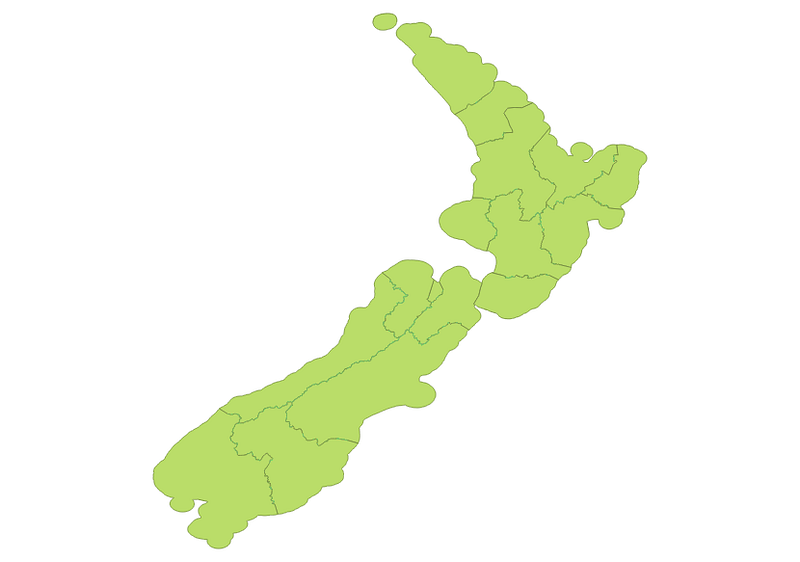
To fix this:
- download the shapefile including the New Zealand coastlines
- import both the regions shapefile and coastlines shapefile into QGIS
- go to Vector > Geoprocessing Tools > Intersect
- select the layers to intersect and export to new shapefile
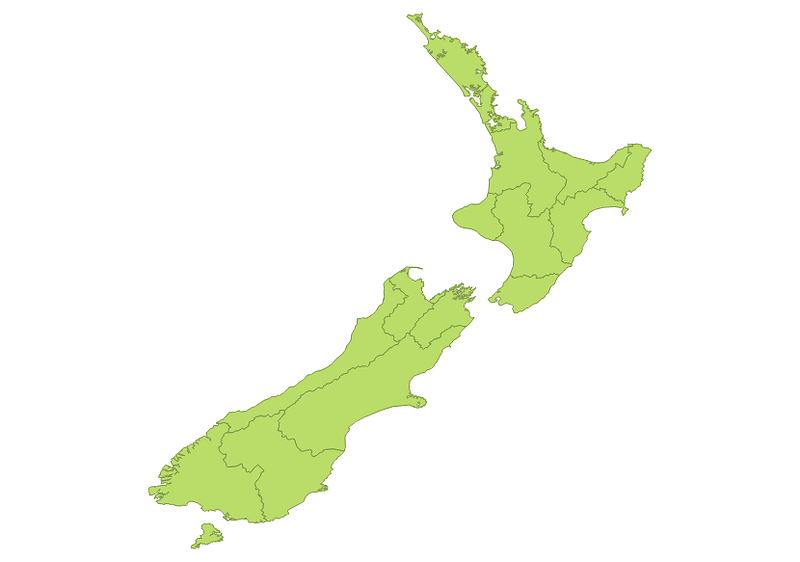
Resulting in New Zealand looking like:
Simplifying the Map
Shapefiles are a vector format, this means that any additional detail increases their size. If the visualisation does no need the detail, the the viewer will have to wait to download lots of useless data.
Using ogr2ogr, a shapefile can be simplified to reduce its size, you just need to specify a tolerance, e.g.:
ogr2ogr -simplify .001 out.shp in.shp
To demonstrate the effect of the tolerance on the resulting map, I used the New Zealand regions shapefile to perform a small experiment. I took the map and simplified it to 4 different sizes; 0.01 (top-left), 0.05 (top-right), 0.1 (bottom-left) and 0.5 (bottom-right):
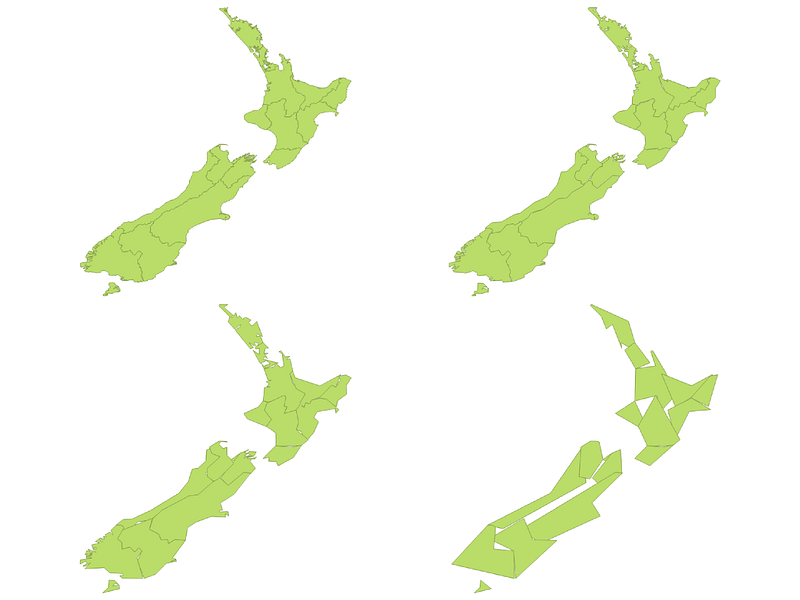
The original shapefile size was 9.6MB, with 0.01 tolerance it was 70kB, 0.05 14kB, 0.1 7kB and 0.5 3kB. In the image you can see that 0.01 and 0.05 are very similar, 0.1 shows more simplification (especially when compared with 0.1) and 0.5 is clearly oversimplified.
Shapefile to GeoJSON
GEOJson is a JSON format for encoding geographic data structures (features), and is the format used by D3.js to visualise geographical information.
Creating GeoJSON files from shapes uses the ogr2ogr tool:
ogr2ogr -f GeoJSON out.json in.shp
This will create a larger file than the shapefile because GeoJSON is a plain text format, e.g. the 70kB shapefile will create a 200kB GeoJSON file.
Compressing GeoJSON to TopoJSON
GeoJSON is a verbose format that will repeat the same information over and over. For example a border between two countries will be described twice in GeoJSON, once for each country.
TopoJSON is a compression tool for GeoJSON that reduces a GeoJSON file by removing its repetition.
Compress a map using TopoJSON by:
topojson -o out.json in.json
You can use D3 to fetch out.json then convert it using the TopoJSON javascript library to the original GeoJSON features:
<script src="topojson.js"></script>
<script>
d3.json("out.json", function(error, out) {
    var geojson_features = topojson.feature(out, out.objects.regions)
    ...
    //
})
</script>
Once you have the map you want, at the resolution you want, compressed down to the size you want, you can start to make your visualisation.